 LOCK
Sensitivitas FF Beginner Guide For New Free Fire Players
Set up Sensitivitas FF as a beginner with safe starting values, a simple testing routine, and the order in which to adjust each setting.
Tune Sensitivitas FF for tablet play, where longer drags, wider views, and different grips reshape every sensitivity value you know.
Tablet screens stretch every drag. A swipe that crossed your phone display covers a fraction of a tablet, so phone values feel slow and heavy the moment you switch. Tablet tuning starts from that simple physical fact.
Review your phone setup through Sensitivitas FF APK download as a reference, then expect general sensitivity to rise or your drag technique to lengthen. Most tablet players use a mix of both.
External controllers tempt many tablet players, but they replace the entire sensitivity conversation with a different one. If you compete or compare with touch players, stay on touch and invest in the tablet specific tuning this guide describes. Mixed input habits split your practice and halve the value of both.
Tablets are played flat on a table, propped on a stand, or held at the edges, and each posture changes which fingers can work. Flat play suits claw layouts and long drags. Held play limits most players to thumbs plus occasional index help.
Choose the posture before the values. Sensitivity tuned for a tabletop setup feels wrong in the hands, and chasing values across two postures pleases neither.
The Android sensitivity guide principles scale up with the screen: fire button under the working finger, movement controls clear of the view centre, and utility buttons reachable without stretching. On tablets, stretching is the enemy, because a long reach mid fight is a lost fight.
Larger screens allow larger buttons without crowding the view, one of the few pure advantages tablet players get. Use it, especially for the fire and gloo wall controls.
General sensitivity and free look move the most, because camera turns cover more screen. Scope values move less, since scoped targets scale with the display too. The FF HUD layout guide gathers the wider Android checks that apply equally to tablets.
Keep two written setups if you play on both phone and tablet. Sharing one compromise sheet between devices serves neither of them well.
Touch tablet play is a legitimate format with its own masters. Treat it as such, and its differences stop feeling like disadvantages within a few honest weeks.
A tablet on a wobbling stand injects movement into every drag. Use a firm stand or a flat surface for serious sessions, because Sensitivitas FF values tuned on a steady screen become lies on a moving one.
Height matters too. A screen angled toward your face shortens the visual distance your eyes manage, which quietly steadies tracking at long range.
Longer drags mean longer muscle work, and tablet players tire differently from phone players. Shorter sessions with real breaks protect both your scores and your shoulders, and Sensitivitas FF tuning cannot repay fatigue debt.
If late session aim decays on tablet while phone aim holds, the diagnosis is physical. Rest is the correct adjustment, not a new slider value.
Players who compete only on tablets should ignore phone derived advice entirely, including most published values. Your format has its own meta: longer drags, wider views, and deliberate aim. Sensitivitas FF guidance written for phones is a starting dialect, not your language.
Build your record from your own drills on your own screen. Within a month you will own tablet data no phone guide can match.
Tablet play rewards scanning and positioning. The wider view shows flanks earlier, and long drags make smooth tracking natural. Players with a calm, observant style often find tablets raise their ceiling even before settings are perfect.
Give the format two honest weeks, posture fixed and values tuned for it, before judging whether the big screen is your format.
Tablet play becomes comfortable once its physical setup stops changing between sessions. This checklist locks the format down so values can finally be judged fairly.
Drags cover more screen, so the same values move the camera less in relative terms. Raise general sensitivity or lengthen your drags.
Yes. The devices ask different things of your hands, and a written setup for each avoids constant compromise.
They offer wider views and larger controls, with longer drags as the cost. The better device is the one your hands know best.
Tabletop and stand play suit claw layouts, while held play usually stays thumb based. Pick one posture and tune for it.
Tablet sensitivity is phone knowledge translated into a larger language: longer drags, different grips, and values that respect the scale.
Fix your posture, retune the camera settings first, and keep a separate sheet for the big screen. The translation work pays off quickly.
Work through the checklist above whenever this topic comes up in your own sessions. Small, recorded, repeatable steps are what turn Sensitivitas FF advice into personal results.
Download Sensitivitas FF APK LOCKSet up Sensitivitas FF as a beginner with safe starting values, a simple testing routine, and the order in which to adjust each setting.
 LOCK
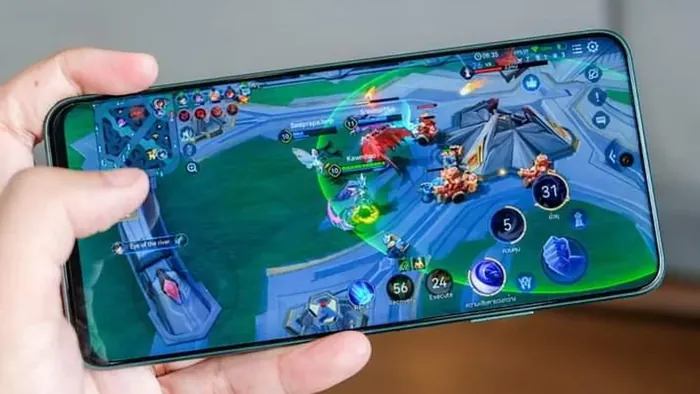
Tune Sensitivitas FF for rush gameplay with faster camera values, close range aim control, and drills that keep aggressive play accurate.
 LOCK
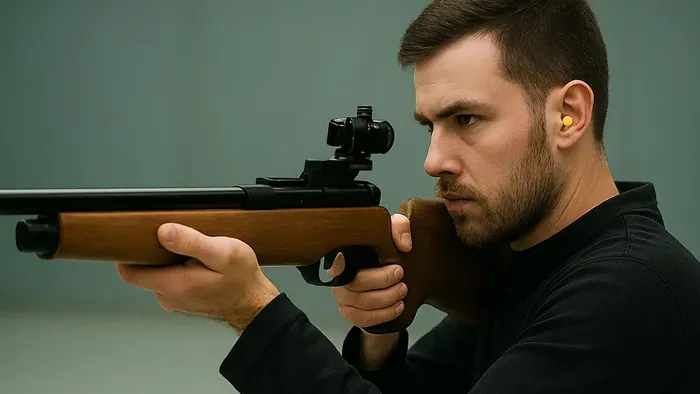
Dial in sniper sensitivity with scope values, flick control, and positioning habits that turn long range fights into your strongest ground.